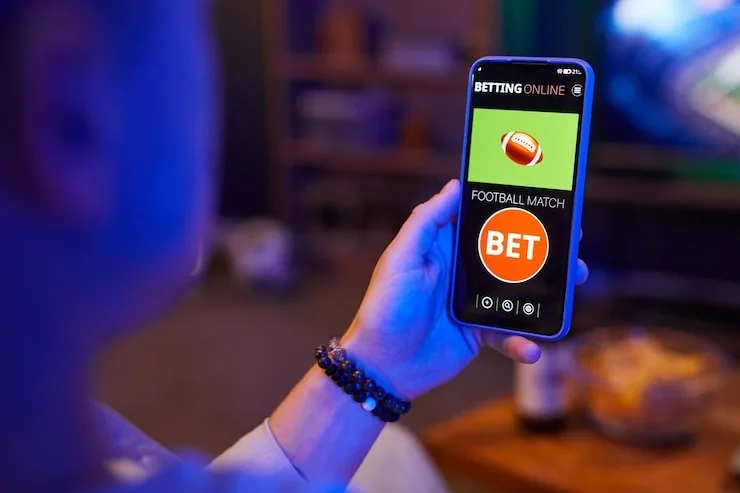
Reference

z888game App — Your Lobby on Any Screen

z888game is built for mobile from the ground up — open the lobby in your browser, sign in with your account, and you are looking at live tables, slots and sports markets within seconds.

Mobile browser readyAccount sign-in requiredAvailability by eligible regionLive tables and slots on screenCheck for native app in account settings
z888game z888game App — Your Lobby on Any Screen
DEVICE COMPATIBILITY CHECK

Which Devices Run the z888game Lobby Smoothly

Most modern handsets handle the lobby without issue, but a few things are worth checking before you sit down at a live table. Screen size, browser version and account status all affect what you can access.

z888game Browser version

Browser version

Any browser released in the past three years covers the lobby requirements. Older WebView builds on entry-level Android devices are the most common source of table-loading errors — update via the Play Store if you hit one.

z888game Screen layout

Screen layout

Live table games like Baccarat Acehigh are optimised for portrait on phones and landscape on tablets. The layout switches automatically; no manual adjustment needed.

z888game Account eligibility

Account eligibility

Full lobby access — including live casino and sportsbook — requires a verified account. Identity verification is completed inside your dashboard before your first withdrawal.

CORE APP FEATURES

Four Things the Mobile Build Does Well

These are the features Pakistan players ask about most once they move their session from desktop to mobile. Each one is built into the current app rather than bolted on as an afterthought.

Biometric Login Fingerprint and face-unlock are supported on compatible Android and iOS devices. Enable the option once inside your account security settings and skip the password on every return visit.
Push Notifications Allow notifications and we will ping you when a live table session opens, when your withdrawal clears, or when a time-sensitive promo goes live on the board.
Dark Mode Interface The mobile interface follows your device system preference. Dark mode is active by default at night, cutting screen glare when you are browsing Blackjack Blast or the sportsbook after hours.
Offline Lobby Preview On a slow connection the lobby shell loads first, so you can browse game tiles and plan your session before the live data catches up — no blank screen while you wait.
z888game Mobile Access in Three Steps

Mobile Access in Three Steps

There is no complicated setup. The z888game mobile lobby runs in your browser, so access is a matter of opening the right address, checking your browser is current, and signing in. For players who want a shortcut on their home screen, both Chrome on Android and Safari on iOS let you add the site as a web app — look for 'Add

to Home Screen' in your browser menu after you have loaded the lobby. A native app build may be available for certain regions; check the app section inside your account dashboard to see the current download status for your device.

  • Open the current site address — Type z888game into your mobile browser or tap a saved bookmark. Make sure you are on the current address — account credentials do not carry across old or unofficial mirrors.
  • Check your browser is up to date — The lobby uses modern CSS and real-time WebSocket streams. Chrome 110+, Safari 16+ and Firefox 110+ all run it cleanly. If a table refuses to load, a browser update usually fixes it.
  • Sign in and verify your session — Log in with your account credentials or use biometric login if you have set it up. A one-time PIN may be sent to your registered number to confirm the device on first use.
  • Check account settings for a native build — Inside your dashboard, the app section shows whether an Android APK or App Store build is currently available for your eligible region. We update this as new builds are released.
z888game What the z888game App Puts in Your Pocket

What the z888game App Puts in Your Pocket

The z888game mobile experience is not a stripped-down version of the desktop lobby — it carries the full catalogue. Crash Dynamite loads on the same multiplier mechanics you would see on desktop, and live baccarat tables streamed by Evolution deal in real time to your handset. Quick deposit is wired directly into the mobile view: tap your wallet chip, choose JazzCash, Easypaisa

or Raast, confirm the amount, and the balance updates before the next hand is dealt. Push notifications alert you when a table you follow opens a new session. Fingerprint login cuts out the password step on supported devices, so getting back into your account is one touch.

z888game App — Common Questions

These are the questions Pakistan players ask us most about getting the z888game mobile experience set up and running.

A native build may be available depending on your region and eligible device. Check the app section inside your account dashboard for the current download status — availability updates as new builds are released.

Yes, the mobile browser version carries the full catalogue: live tables, slots including Crash SparkBurst, and the sportsbook with cricket and PSL markets. A verified account is required for full access.

Go to your account security settings after logging in, then enable biometric login. The option appears on devices that support fingerprint or face unlock; it activates on your next sign-in attempt.

Start with your browser version: an outdated WebView or browser is the most common cause. Update via your device's app store, reload the lobby, and try the table again. A steady 4G or Wi-Fi connection also helps.

Yes. The quick deposit flow is built into the mobile lobby. Tap the wallet chip, select JazzCash, Easypaisa or Raast, enter the amount, and confirm with your PIN. Your balance updates once the transfer clears.

Slots like Football BalMoney and Crash Dynamite hold up on slower connections. Live dealer streams need more bandwidth — switch to Wi-Fi or a strong 4G signal for live baccarat and live blackjack tables.
Reference

z888game App

Service availability depends on eligible regions and local law. Users should check local rules before opening an account.

Access may be available only where local law permits.